
The self hosting adventure
 Ellie
Ellie
Since I’ve been a much shorter human, I’ve always admired computer servers and enterprise level computing. I sworn to myself I’d get a server rack at some point in my life to host my own stuff. The dream we very much an active one as in the past, I’ve managed to collect a shell of an old supercomputer; a SGI PowerChallenge XL (only the frame, no insides and yes, it was more than 6′ high… ).
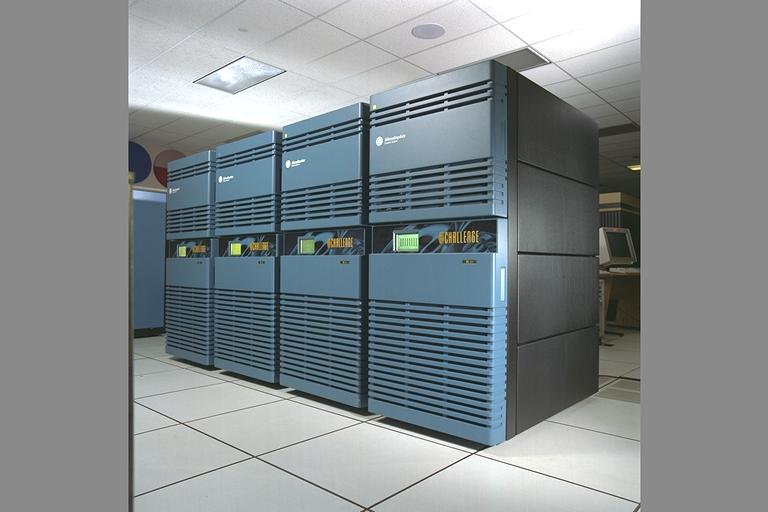
I wanted to convert it into a STD 19″ server rack. It had everything I wanted from airflow, accessibility, mounting points… I just needed to install some rails and voila! The only problem, I was not even 20 years old at the time with a very limited income so custom rails were not very accessible. I ended up scraping the project when my father sold his house (I miss having storage there). Nonetheless, the dream was very much still alive.
a few years later, I got my hand on a half height 19″ rack. I’ve used it for some server stuff back when I had my crypto farm. Managed to have 3 servers in there with fancy networking, KVM and everything. It was very nice but I barely was scratching the decades long itch. Ultimately, it was dismantled when the farm shut down and was sold.
Fast forward to the recent years, I still wanted to get involved in networking, servers and stuff but while being in an apartment, it’s a bit more complicated. Although I did just that but in the miniature version!
I decided to build a miniature 10″ rack with plenty of servers, NAS and networking! And the whole thing is roughly 11″ x 11″ x 18″ high. Most of the supports are 3D printed too!
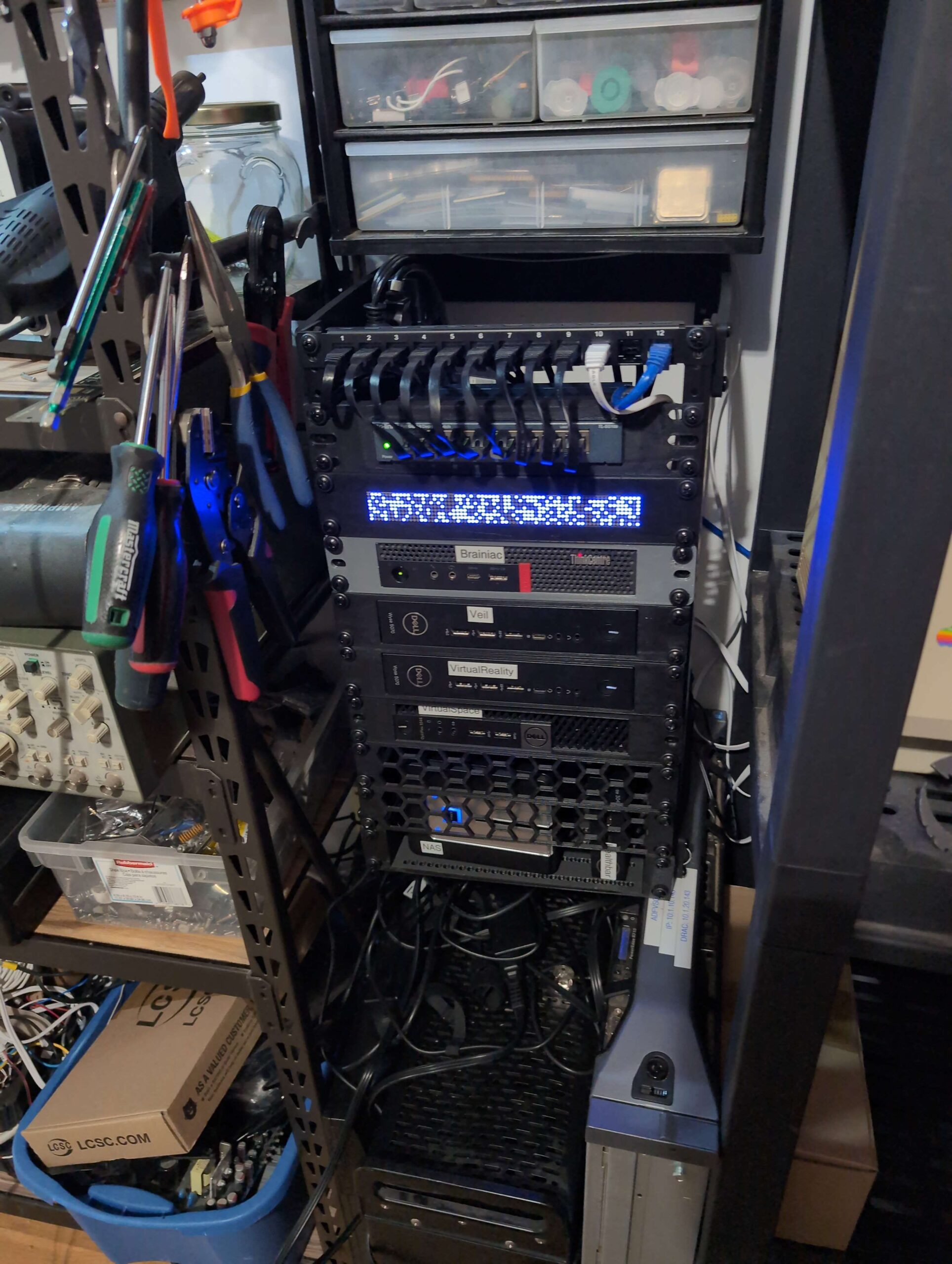
So there is 5 sections to the thing:
- A ThinkCenter M720Q with the extra PCIe extender and a 4 ports network card serves as the router. It is joined by one of the two Dell Wyse 5070 that is running a hardware DNS server. This is the network part that supports the rest of the infrastructure and my main home network.
- Another Dell Wyse 5070 and a Dell optiplex 3046 serves as the virtual machines hosts. They are where the bulk of the system is happening.
- A D-Link MAS holds all the shared data for the network.
- A small Dell Wyse 3040 is used to monitor all the services (it’s affectionately called the server’s health bar).
- A 10 ports TPLINK network switch to split the network and connect everything together.
I also added a WOPR-like LED matrix to just be cute but it is just LEDs. It doesn’t do anything.
Setting that up has been quite a challenge as my networking experience was rather limited. And a few times I did setup stuff that didn’t work and forced me to reinstall the whole router from scratch, or I did set something and ended up with no network anymore or no internet access. In short, quite an interesting learning experience.
In the future, I’ll try to do a breakdown of what I used and how it’s built with maybe some recommendation if you want to build yours!
hope you enjoyed!
